Khatam: Coordination & review
Khatam for coordination: semantic diff between drawing revisions, the cross-sheet consistency check that flags plan-vs-schedule mismatches, and LocusSync session summaries.
Khatam: Coordination & review
Semantic diff between revisions
Compare the current drawing's markups against another tracked revision and Khatam reports what changed by meaning, not just by position: added, removed, and changed items rolled up into plain lines such as "3 doors changed material: hollow-metal to wood".
Cross-sheet check
Pick a plan sheet and a schedule sheet, and Khatam compares their tagged elements, then points out where a dimension disagrees (a door drawn at one size but scheduled at another) or a tag appears on one sheet with no match on the other. It reads the text already on the sheets and the results are a read-only list, so nothing is changed. Figure 1 shows the dialog open on a two-sheet door set, ready to compare page 1 against page 2.
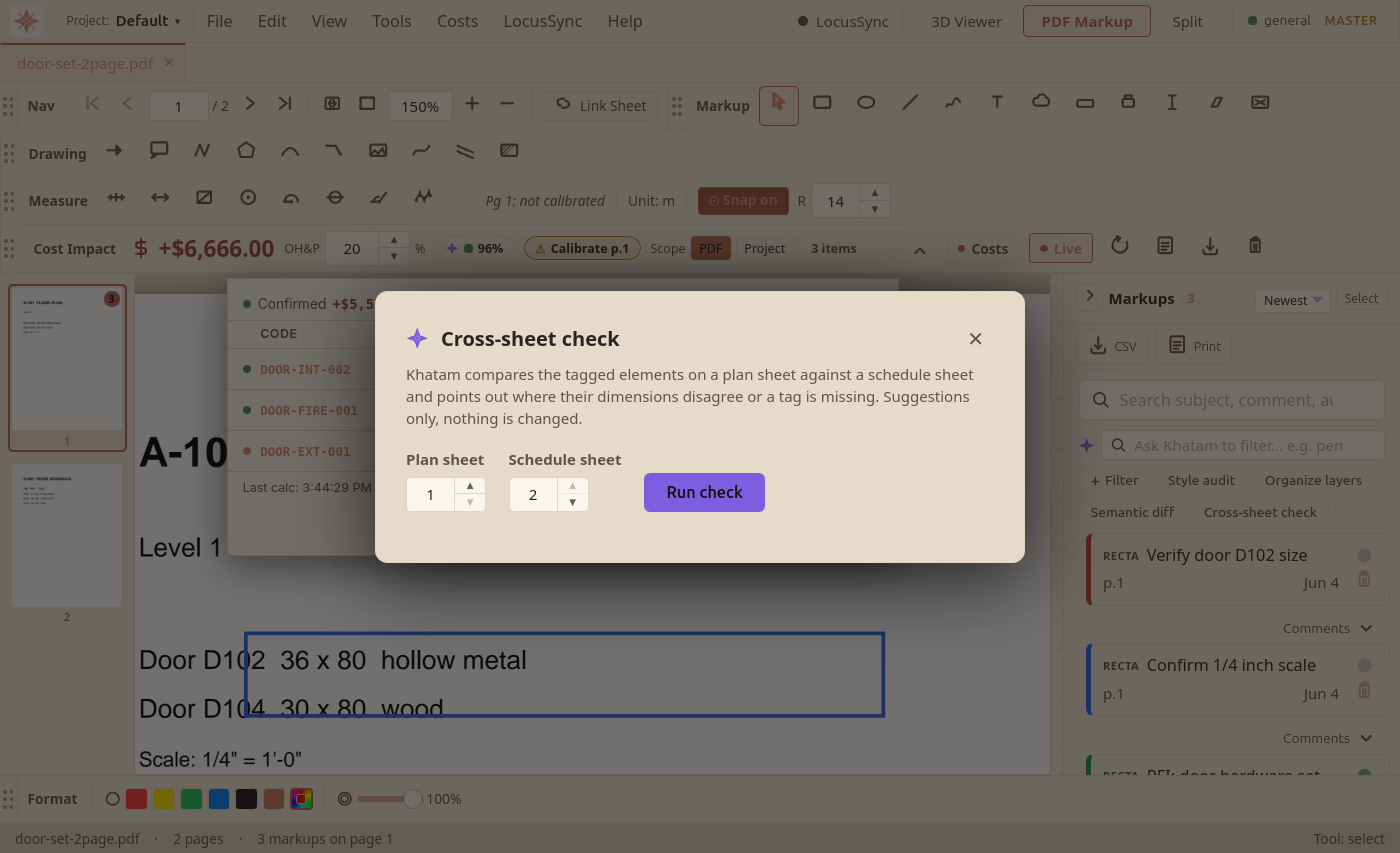
- Open the drawing set and find the markup sidebar on the right. In the row of Khatam actions (Style audit, Organize layers, Semantic diff), click Cross-sheet check.If a sheet is a scan, run OCR on it first (the banner above the page offers it) so Khatam can read the text.
- Choose the plan sheet and the schedule sheet by page number, then click Run check.Pick two different sheets: the check needs a plan side and a schedule side to compare.
- Review the findings: dimension mismatches, tags on the plan with no schedule row, and schedule rows with no plan element. Each line names the tag and what disagrees.Findings are read-only. Khatam points, you decide; it never edits a sheet.
Session summary
After a LocusSync session, Khatam aggregates the session's markups and comments into a summary (counts, decisions, action items, and open questions) that you can copy or export as a Markdown file. It is assembled from what was actually recorded, not generated.
- Khatam: OverviewThe AEC-domain AI engine that powers LocusBIM. On-device, no cloud, no per-inference billing. The purple khatam mark, the glow/spin interaction pattern, and what Khatam does today.
- Compare DrawingsOverlay two PDF revisions and highlight every visible change so revision reviews don't miss anything.
- LocusSync CollaborationReal-time PDF markup, issue, and chat sync between teammates. Create a room, name the session, and review drawings live.